A closer look at the controls.
Screenshots of ShopManager AI in demo mode. They show the interface with demonstration data, not a completed change on a customer store.
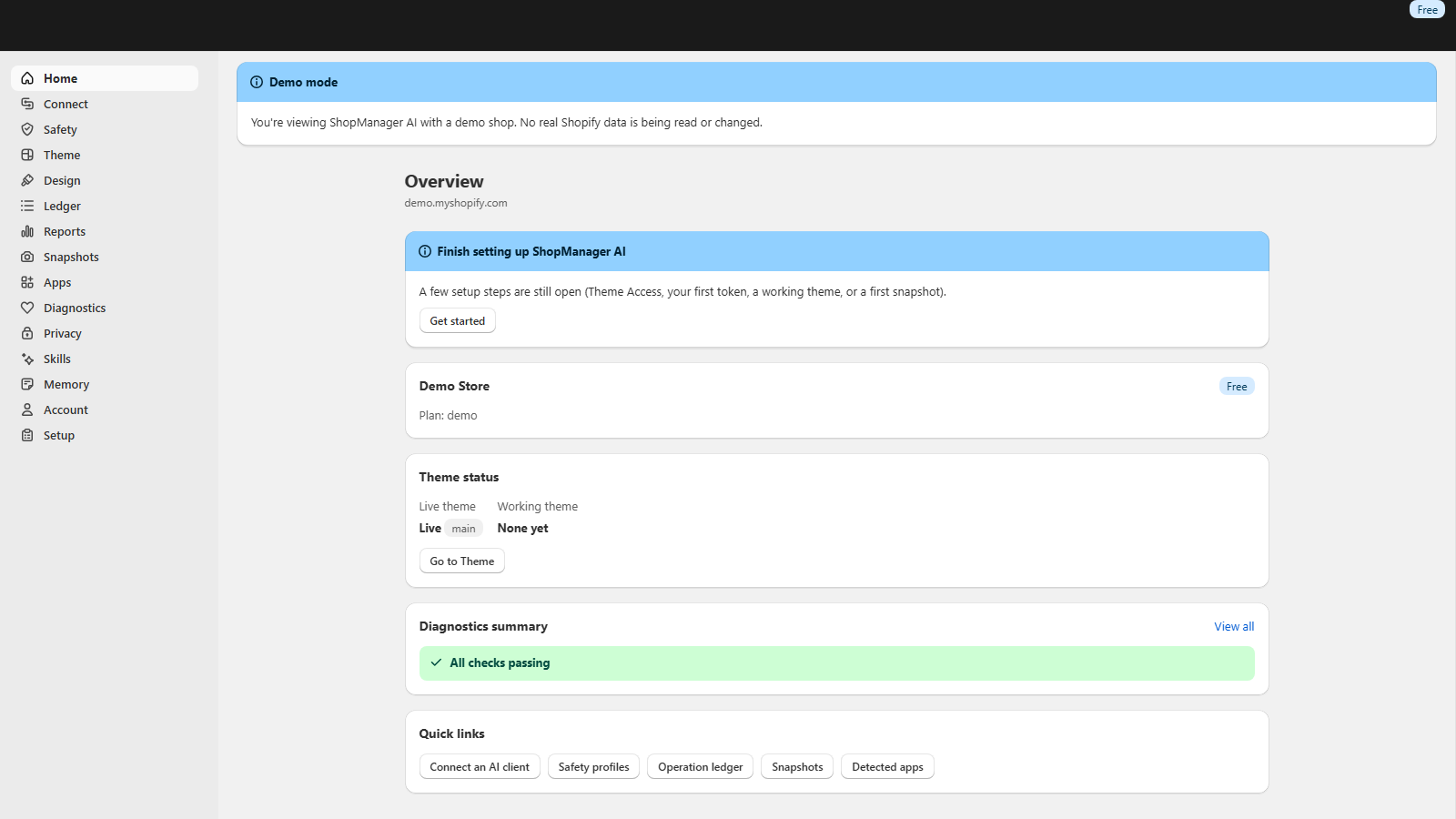
Check the store and its setup
The overview brings store identity, setup and theme status into one place. Before an AI session, confirm that you selected the intended store and completed its connection requirements.
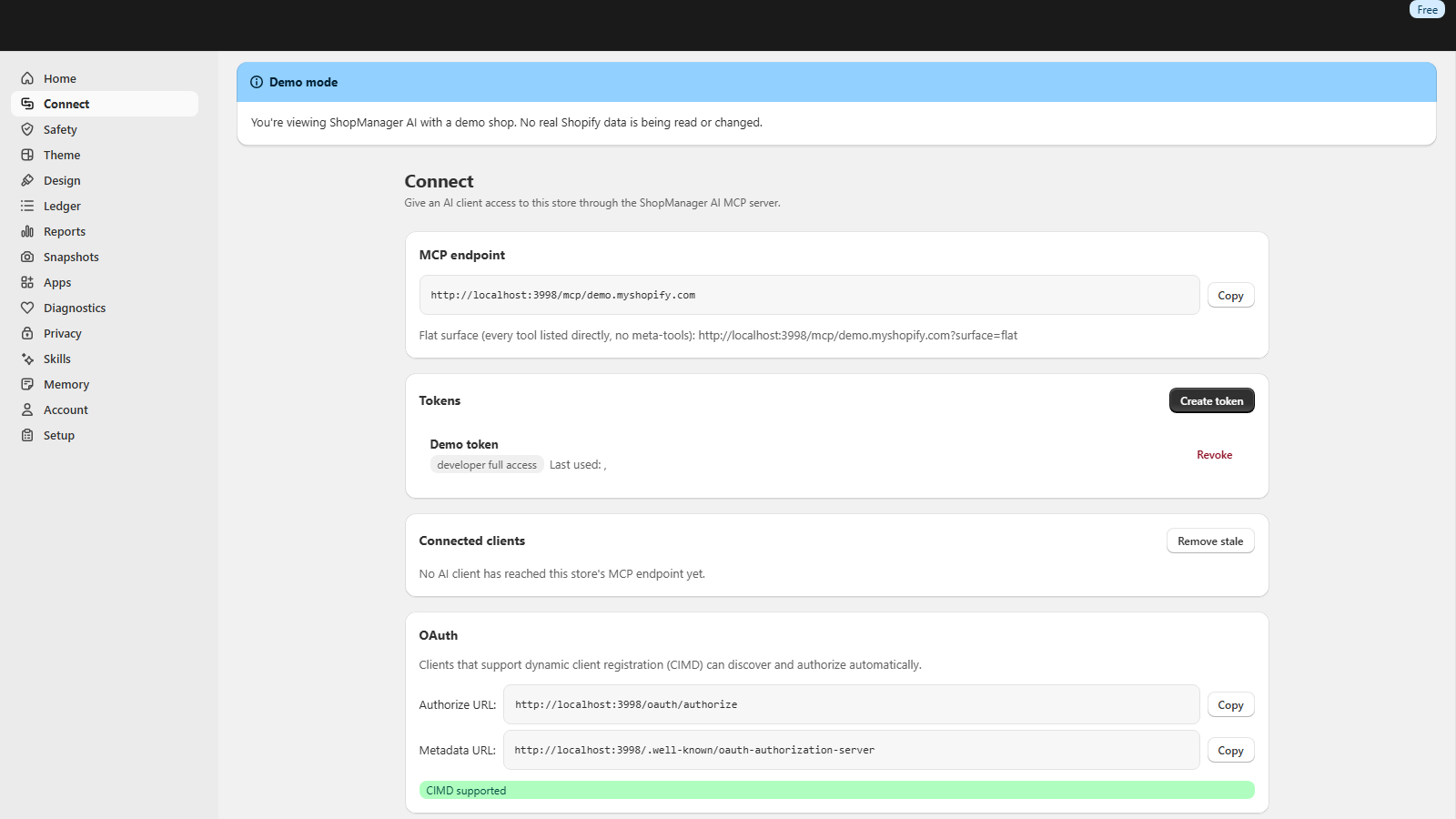
Connect an AI client
Find your store’s endpoint and manage its client connection. This screenshot uses a local demo address; follow the integration guide with the endpoint shown in your own dashboard.
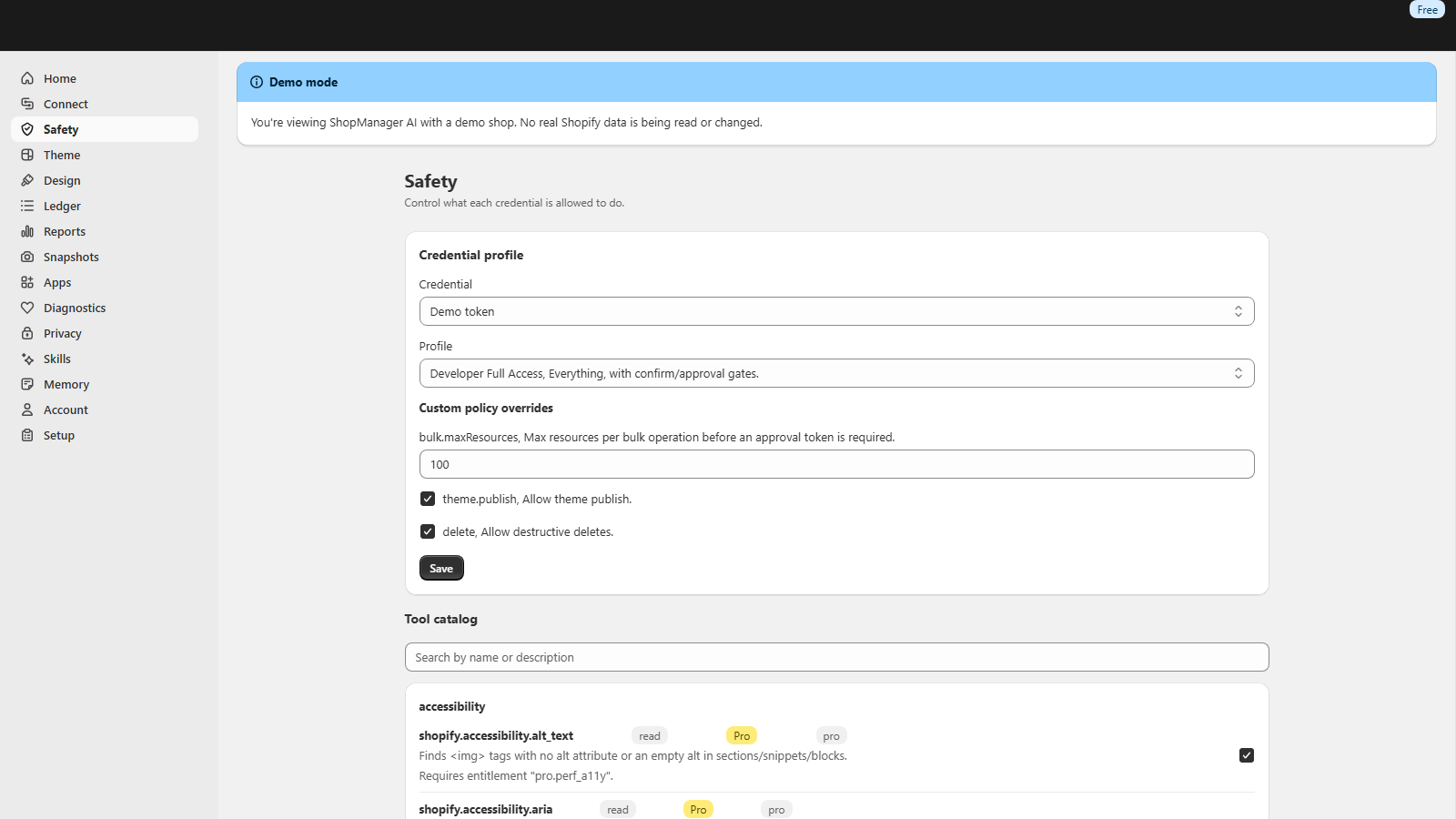
Review the credential profile
Inspect the credential’s permissions and tool access before running store operations. The screen shows a demonstration configuration, not a recommendation to grant broad access. Begin with a read_only token for inspection.
Inspect your store with Free. Add Pro for everyday changes.
No card for Free. Pro from $17.42 a month billed yearly. Cancel any time.